 Internet Explorer 9 9.0
Screenshots of Internet Explorer 9
Internet Explorer 9 Editor's Review
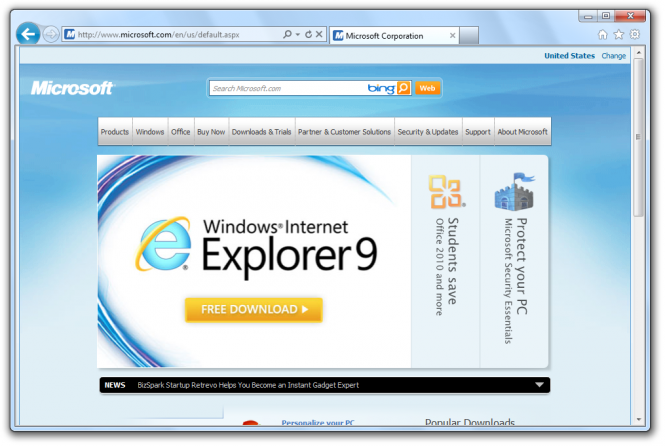
After two years since Internet Explorer 8 was launched, Microsoft has released Internet Explorer 9 (IE9), available for download. Thanks to powerful competitors (Google Chrome and Mozilla Firefox) and the declining usage of Internet Explorer in general, Microsoft was forced to rebuild Internet Explorer not only to run faster (and to be more responsive), simpler and more secure, but also to be redeem itself in the eyes of web developers and standards-savvy designers against the bad reputation of being a non standards compliant browser.
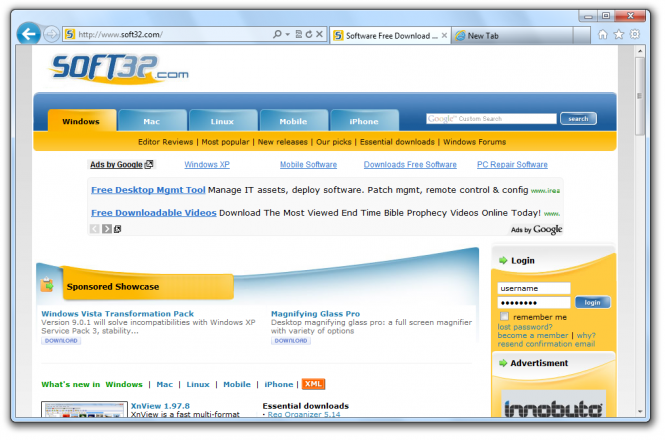
The first thing you'll notice when you run Internet Explorer 9 (IE9) for the first time is its new, simplified and minimalist interface. There is a single location bar for searches and URLs (similar to Google Chrome) and the browser tabs opens on the same row as the location bar in a single strip alongside. There are of course, pros and cons associated with this. The benefit is clear - more browsing room. Although, if you open several tabs at the same time, it becomes difficult to distinguish the tabs. Among other news, the Stop and Refresh buttons live now inside the location bar along with the search drop-down menu icon. Also, all items associated with print, safety and other controls have gone now into the Tools menu.
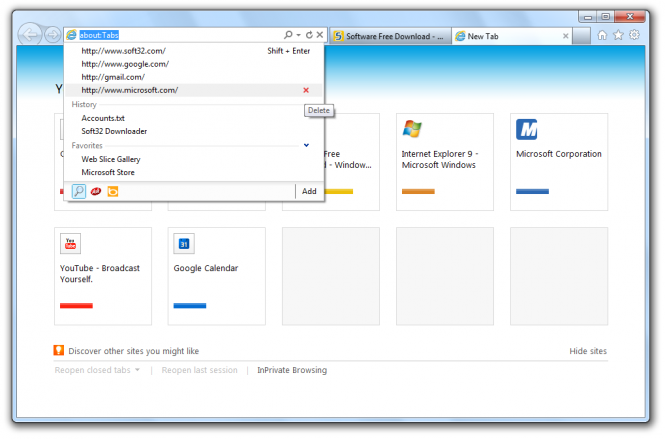
As Internet Explorer 8, the browser has tab sand-boxing. This feature prevents the crashing of your entire browser in case something goes wrong with a tab (i.e. freezes) and it will offer you the possibly to resurrect that tab. Moreover, when you open a 'New Tab' page, you'll be able to open closed tabs and previous browsing sessions among with the most frequently visited Web sites. As Google Chrome, IE9 allows you to drag a tab to create a new browser window. Additionally, the browser integrates with the Aero Snap feature in Windows 7 in order to drag a tab to a side (right or left) on your monitor, which makes it easy when you want to look at two sites simultaneously. Another interesting feature of IE9 is that you can pin specific sites to your Windows 7 desktop taskbar. To do so, click and hold on a tab and drag it to the taskbar to pin. This is quite useful, especially for sites we visit on a frequent basis.
Another important improvement is the overall browser performance thanks to a new Javascript engine as well as hardware acceleration. As a comparative, the rendering speed of the web pages and the performance executing Javascript is as fast as in Google Chrome, Faster than Mozilla Firefox and miles away over IE8. About the browser start times, its been also improved and to be honest, the whole thing feels fast and smooth. Moreover, its much-touted hardware acceleration, which uses the graphics processor to render web videos improves the performance a lot.
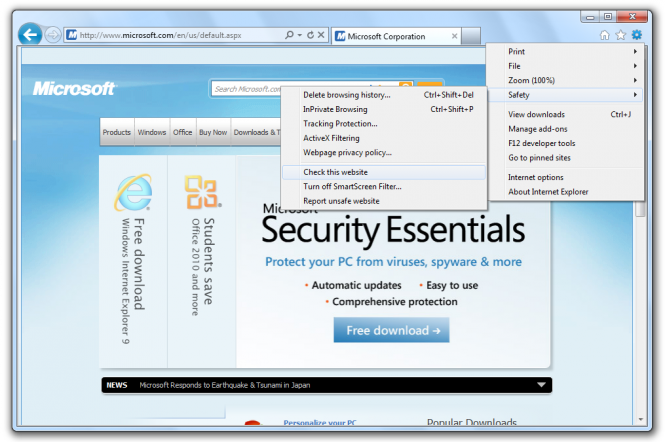
The most important focus of IE9 it to be a safe, secure and private browser. In this manner, there are two main features. One is called ActiveX Filtering which once turned on, it will block all ActiveX controls from being loaded on websites, unless you choice to allow them on a particular website. In short explanation, ActiveX controls (e.g. Adobe's Flash Player which is safe, of course) are like small plugins you can install on your computer to enable your web browser to run small programs to display content. But, there are a lot of unsafe ActiveX controls out there and also a lot of unsafe websites which will add exploit holes in your system.
Another addition to 'safe and secure' is the Tracking Protection which enables you to keep sites from tracking your activity across browsing sessions. Moreover, the tracking protection feature a Tracking Protection Lists. These are lists of websites that IE9 will block from loading on your computer, therefore they will be unable to track you since they cannot load the image or animation required to track you or run the tracking code.
Finally, the SmartScreen Filter will warn you if you're downloading a known virus, before you run the file and also if you're downloading a file that hasn't been verified as safe. As expected, the other security feature built into the browser, called Protected Mode, which stops Internet Explorer 9 (IE9) or ActiveX controls running in the browser from accessing the system to make malicious changes.
Pluses: HTML 5 compatibility, address bar search function, ability to pin Web site shortcuts to taskbar in Windows 7, hardware acceleration, fast.
Drawbacks / flaws: Slow install, forces a reboot, does not work in Windows XP, requires SP2 to work under Windows Vista, there are a number of features that only work on Windows 7.
In conclusion: With all this being said, IE9 is fast and highly usable, actually, even enjoyable to use. Looks like Microsoft has put together all their focus to give Web users good reasons to at least give IE 9 a try.
version reviewed: 9.0
Internet Explorer 9 Publisher's Description
The latest version of the world’s most popular Web browser has been released for technical evaluation, feedback, and testing by software and Web site developers.
What offers:
· Dynamic security protection through a simplified architecture that defends against malware, and new dynamic ways to protect against
What's New in Version 9.0 of Internet Explorer 9
- CSS3 2D Transforms
- CSS3 Background and Borders Module
- CSS3 border-radius Properties
- CSS3 Color Module
- CSS3 Fonts Module
- CSS3 Media Queries
- CSS3 Namespaces
- CSS3 Values and Units Module
- CSS3 Selector Module
- CSS Object Model (CSSOM) View Module
- DOM Level 2 and Level 3 Support
- ECMAScript 5 Support
- F12 Developer Tools Improvements
- Geolocation API
- HTML5 Support
- Selectors API Level 2
- Scalable Vector Graphics (SVG)
- Pinned Sites
- Installation
- Jump List Tasks
- Thumbnail Toolbar
- Notifications
- User-Agent (UA) String
- Web Performance
Other Languages
Look for Similar Items by Category
Feedback
- If you need help or have a question, contact us
- Would you like to update this product info?
- Is there any feedback you would like to provide? Click here
Beta and Old versions
Popular Downloads
-
 KaraFun Karaoke Player
2.6.2.0
KaraFun Karaoke Player
2.6.2.0
-
 Kundli
4.5
Kundli
4.5
-
 Macromedia Flash 8
8.0
Macromedia Flash 8
8.0
- FastSum 1.9
-
 FastSum Standard Edition
1.6
FastSum Standard Edition
1.6
-
 Cool Edit Pro
2.1.3097.0
Cool Edit Pro
2.1.3097.0
-
 Cheat Engine
6.8.1
Cheat Engine
6.8.1
-
 My Talking Tom
1.0
My Talking Tom
1.0
-
 Hill Climb Racing
1.0
Hill Climb Racing
1.0
-
 Tom VPN
2.2.8
Tom VPN
2.2.8
-
 C-Free
5.0
C-Free
5.0
-
 Windows XP Service Pack 3
Build...
Windows XP Service Pack 3
Build...
-
 Vidnoz AI
1.0.0
Vidnoz AI
1.0.0
-
 Netcut
2.1.4
Netcut
2.1.4
-
 Facebook Messenger
440.9.118.0
Facebook Messenger
440.9.118.0
-
 Vector on PC
1.0
Vector on PC
1.0
-
 FormatFactory
4.3
FormatFactory
4.3
-
 Auto-Tune Evo VST
6.0.9.2
Auto-Tune Evo VST
6.0.9.2
-
 Grand Theft Auto: Vice City
1.0
Grand Theft Auto: Vice City
1.0
-
 Minecraft
1.10.2
Minecraft
1.10.2